How to Create Digital Certificates
Follow 3 simple steps to create and issue verified digital certificates using Credenza.
Step 01: Create a Template or Choose from the Library
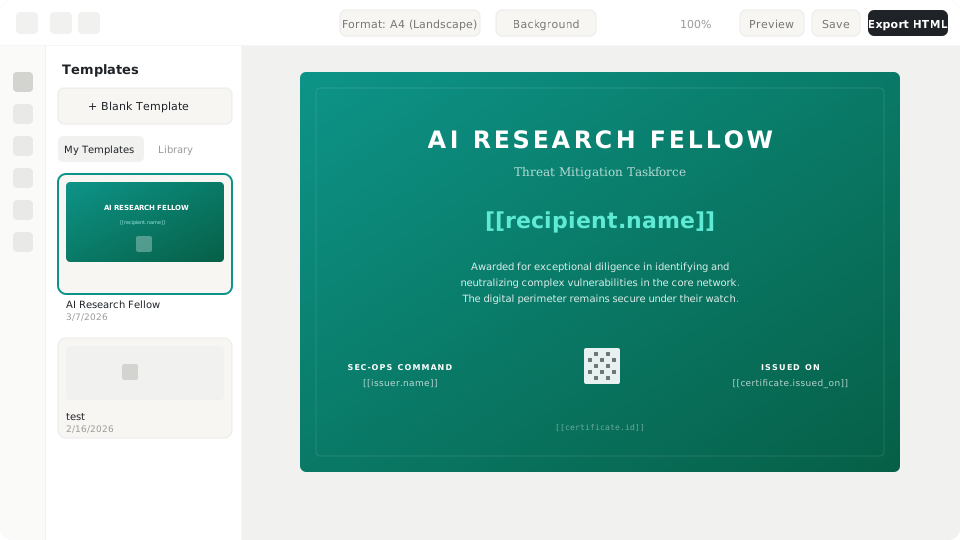
The first step is preparing your certificate design. You can create a template from scratch using Credenza's visual editor, or choose from a collection of templates already available in the library.
What you can do
- Create your own template: Use the drag-and-drop editor to design certificates that match your institution's identity. Set logos, colors, fonts, and layout to your needs.
- Choose from the library: Browse a collection of professional, ready-to-use templates. Pick a design that fits and customize it with your institution's branding.
- Set dynamic fields: Add dynamic fields like recipient name, date, certificate number, and other information that will auto-fill during issuance.
Tips
- Make sure your institution's logo is in PNG or SVG format with high resolution
- Use dynamic fields for information that changes per recipient
- Preview the template before proceeding to the next step
Step 02: Create an Event
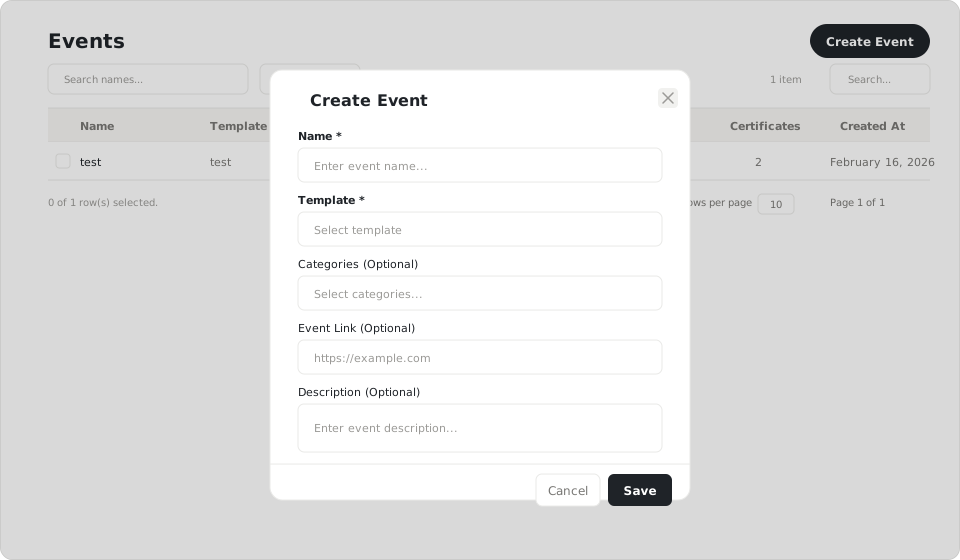
Once the certificate template is ready, create an event to set the issuance context. The event defines activity information such as the event name, date, and other details that will appear on the certificate.
What you can do
- Activity details: Fill in event information such as activity name, date, location, and organizer. This information will automatically fill in on the certificate.
- Link to a template: Select the certificate template created in the previous step. One event can use one or multiple different templates.
- Recipient settings: Choose how to add recipients: manual one-by-one input, CSV file upload for bulk issuance, or via API integration.
Tips
- Double-check event dates and details before saving
- Use a clear and recognizable event name
- You can create multiple events using the same template
Step 03: Issue Credentials
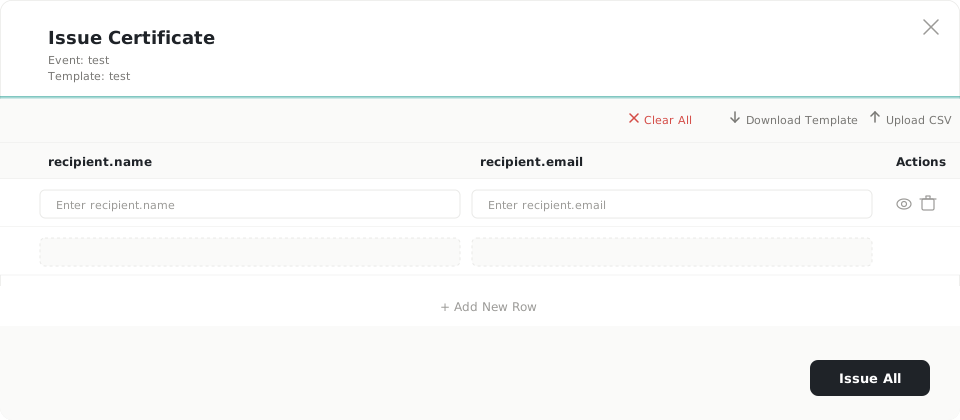
The final step is issuing credentials (digital certificates) to recipients. Enter recipient data, verify, then issue certificates ready to share and verify.
What you can do
- Enter recipient data: Add recipient data manually or upload a CSV file for bulk issuance. Ensure data such as name and email are correct.
- Verify & issue: Review recipient data and preview the certificate before issuing. Once issued, each certificate gets a unique ID and is recorded on the blockchain.
- Automatic distribution: Issued certificates can be sent directly to recipients' emails. Recipients get a link to view and download their certificate.
- Download & share: Recipients can download the certificate in PDF format, share the verification link, or add it to their LinkedIn profile.
Tips
- Double-check recipient data before issuing
- Use the preview feature to ensure the certificate looks right
- Issued certificates can be verified at any time via the link or QR code
Summary
With 3 simple steps, you can issue verified digital certificates ready to share.
| Step | Action |
|---|---|
| 01 | Create a template or choose from the library |
| 02 | Create an event and link it to your template |
| 03 | Upload recipient data and issue credentials |